How to Create a Professional Resume That Gets You Noticed
How to Create a Professional Resume That Gets You Noticed
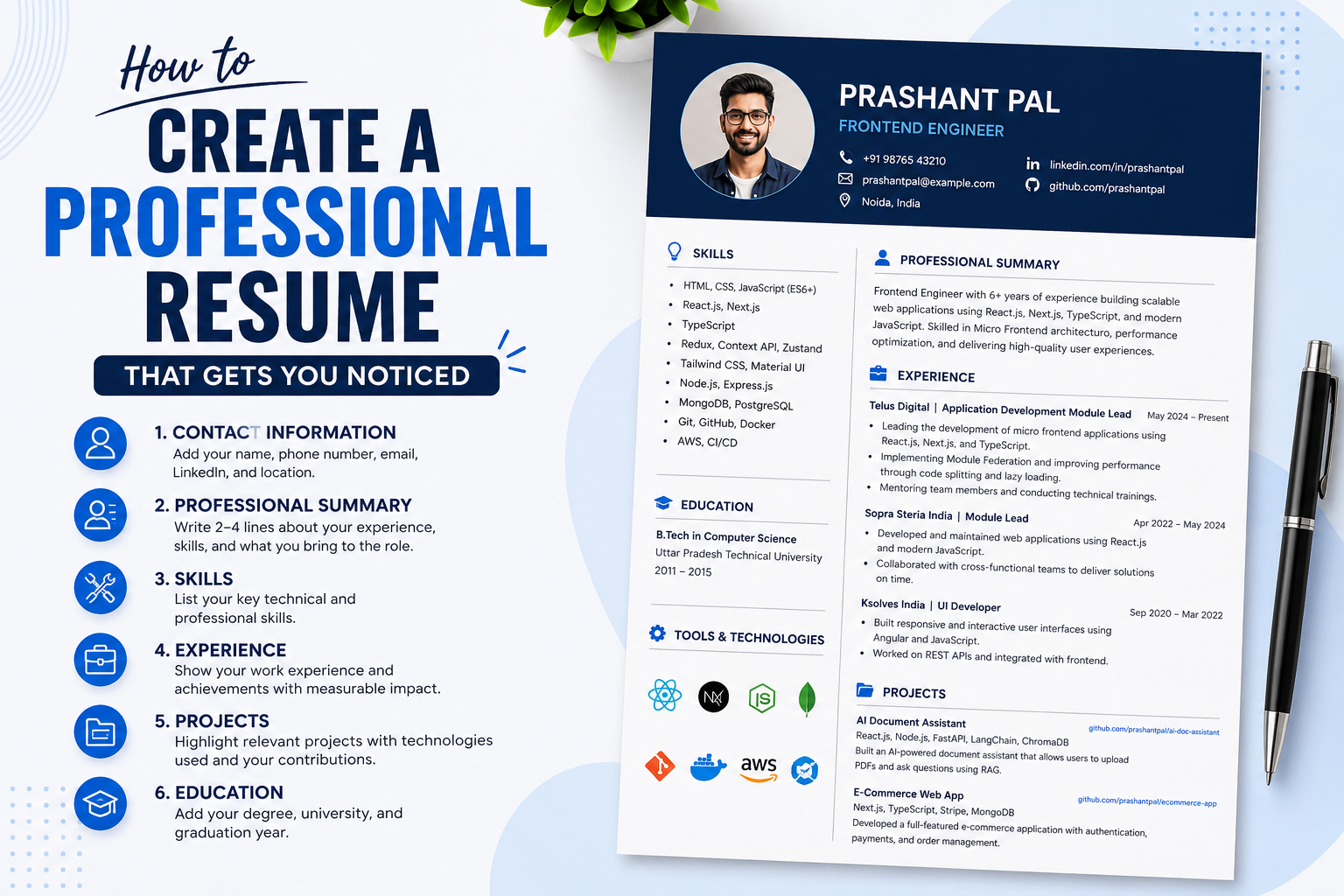
A resume is your first opportunity to make a strong impression on a recruiter. A well-structured resume highlights your skills, experience, achievements, and projects in a clear and professional way.
1. Add Your Contact Information
Start your resume with your basic professional information.
Include:
- Full Name
- Phone Number
- Professional Email
- LinkedIn Profile
- GitHub / Portfolio
- City and Country
Avoid adding unnecessary personal information such as religion, marital status, or your complete home address.
2. Write a Strong Professional Summary
Your professional summary should be 2–4 lines that explain your experience, key skills, and career focus.
Example
Frontend Engineer with 5+ years of experience building scalable web applications using React.js, Next.js, TypeScript, and JavaScript. Experienced in Micro Frontend architecture, performance optimization, and mentoring developers.
Keep your summary short and relevant to the job you are applying for.
3. Add Your Technical Skills
Organize your skills into categories so recruiters can quickly understand your technical expertise.
Example
Frontend: React.js, Next.js, JavaScript, TypeScript, Redux
Backend: Node.js, Express.js
Database: MongoDB, PostgreSQL
Cloud & DevOps: AWS, Docker, CI/CD
Testing: Jest, React Testing Library
Tools: Git, GitHub, VS Code
4. Add Your Work Experience
For each company, mention:
- Job Title
- Company Name
- Employment Dates
- Key Responsibilities
- Major Achievements
Don't only describe your responsibilities. Try to show the impact of your work.
Weak Example
Worked on a React.js application.
Better Example
Developed scalable React.js applications and improved page performance through code splitting and lazy loading, reducing initial load time by 30%.
Whenever possible, use numbers to demonstrate your impact.
5. Add Your Projects
Projects are especially important for freshers, developers, and candidates changing careers.
For each project, mention:
- Project Name
- Technologies Used
- What You Built
- Your Contribution
- GitHub Link
- Live Demo, if available
Example
AI Document Assistant
Technologies: React.js, Node.js, Python, FastAPI, LangChain, ChromaDB
Built an AI-powered document assistant that allows users to upload PDFs and ask questions using Retrieval-Augmented Generation (RAG).
6. Add Your Education
Keep your education section simple.
Include:
- Degree
- College / University
- Graduation Year
Example
Bachelor of Technology (B.Tech)
XYZ University
2015
If you have significant professional experience, your work experience and projects should generally receive more attention than your education.
7. Make Your Resume ATS-Friendly
Many companies use Applicant Tracking Systems (ATS) to screen resumes before recruiters review them.
Follow these guidelines:
- Use simple formatting
- Use standard section headings
- Include relevant keywords from the job description
- Avoid excessive graphics
- Avoid complicated tables
- Use readable fonts
- Maintain consistent spacing
- Keep your job titles clear
Important
Don't create one generic resume for every job.
Customize your resume according to the job description and highlight the skills and experience most relevant to that position.
8. Keep Your Resume Concise
For most candidates, a 1–2 page resume is sufficient.
Focus on:
- Relevant experience
- Technical skills
- Important projects
- Achievements
- Measurable results
Avoid adding every technology you have ever worked with.
Quality is more important than quantity.
9. Proofread Your Resume
Before sending your resume, check for:
- Spelling mistakes
- Grammar errors
- Incorrect dates
- Broken links
- Inconsistent formatting
- Incorrect contact information
A small mistake can make your resume look unprofessional.
10. Save Your Resume Professionally
Always save your final resume as a PDF unless the company specifically requests another format.
Use a professional file name.
Good
Prashant_Pal_Resume.pdf
Avoid
resume_final_final2.pdf
myresume123.pdf
newresume_latest.pdf
Final Resume Checklist
Before applying for a job, make sure:
- Contact information is correct
- Professional summary is relevant
- Skills match the job description
- Work experience contains achievements
- Projects are clearly explained
- Education is included
- Resume is ATS-friendly
- There are no spelling or grammar mistakes
- LinkedIn and GitHub links work
- Resume is saved as PDF
- File name is professional
Final Tip
A great resume doesn't simply tell recruiters what you have done.
It should clearly communicate what you can do, what impact you have created, and why you are a strong fit for the job.
Spend time customizing your resume for each important job application. A targeted resume is much more effective than sending the same resume everywhere.